This semester I officially started working on my graduation thesis. The university template was in LaTeX, Overleaf was the expected tool, and everything seemed straightforward — until I actually opened the project.
Within the first week I had already hit a memory limit error, spent half a day debugging a bibliography package conflict, and developed a reflex of switching tabs the moment I clicked compile to go do something else while it built. For a document I’d be living inside for months, this was not a sustainable workflow.
So I went looking for an alternative. I found Typst — and I actually loved it.
The Overleaf Problem
Overleaf is genuinely useful. Collaborative editing in the browser, no local installation, version history — for most academic work it’s fine. But graduation theses stress it in ways normal papers don’t.
The university template I was given came with custom chapter styles, a cover page macro, and a bibliography configuration spread across four separate style files. The combination meant:
- Compile times of 2–4 minutes per build, even for small edits
- Memory cap errors that appeared mid-document with no explanation
- Package conflicts from the template’s dependencies fighting each other
- Cryptic error messages pointing at generated auxiliary files I never touched
The worst part was the feedback loop. Edit a sentence. Wait three minutes. Error. Google the error for twenty minutes. Try a fix. Wait three minutes. Different error. Repeat until you question every decision that led you to engineering.
Finding Typst
I searched “LaTeX alternative” half-expecting nothing useful. Instead I found Typst — a new typesetting system built from scratch, designed to be fast, modern, and actually programmable. The pitch: write in a cleaner markup syntax, get near-instant compilation, and get readable error messages.
My first reaction was skepticism. Every “LaTeX killer” I’d seen was either too limited for technical documents or just as painful in different ways. I gave it thirty minutes anyway.
That was the beginning of this semester. I haven’t opened Overleaf since.
What Typst Can Actually Do
Before getting into the fun stuff, here’s the honest scope of what Typst handles — and it’s more than you’d expect:
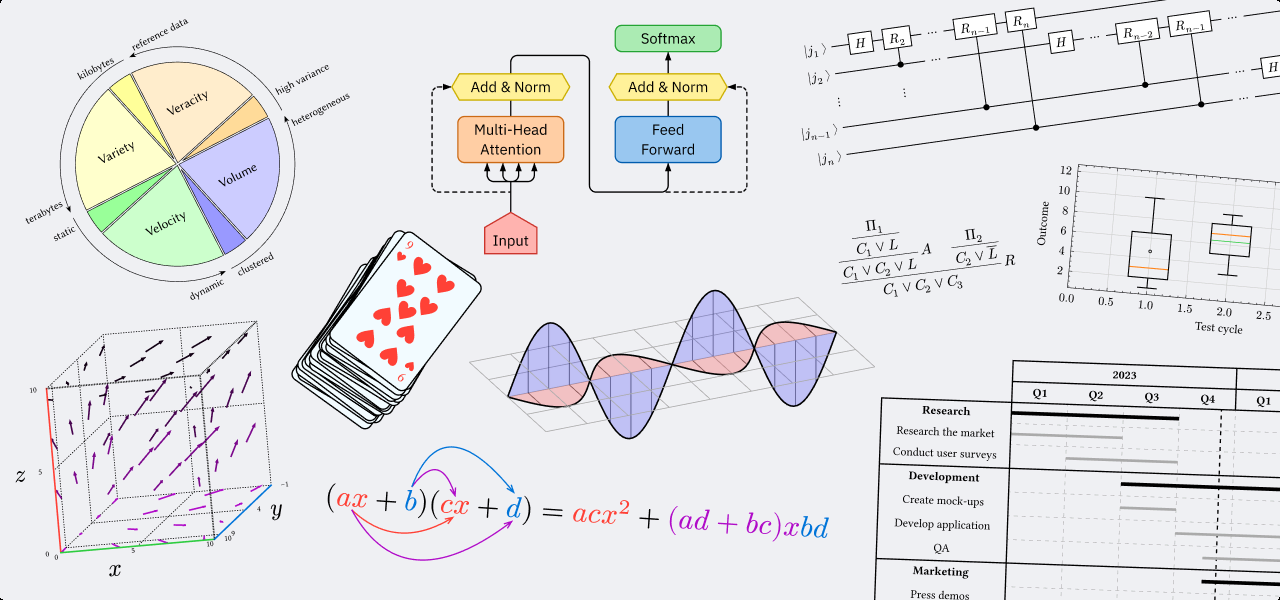
A sampling of what Typst's ecosystem can produce natively — transformer diagrams, 3D plots, Gantt charts, quantum circuits, mathematical proofs, and more.
Math rendering, data visualisation, vector graphics, charts, circuit diagrams — all without leaving Typst. The ecosystem is younger than CTAN but growing fast, and the scripting layer means things that would require a separate tool in LaTeX can often be done inline.
The First Hour
The syntax clicked quickly. Coming from LaTeX, it felt like someone had redesigned the language with the benefit of hindsight.
#set document(title: "My Graduation Thesis", author: "Javad Ibrahimli")
#set page(paper: "a4", margin: (top: 3cm, bottom: 2.5cm, x: 2.5cm))
#set text(font: "New Computer Modern", size: 11pt, lang: "en")
#set heading(numbering: "1.1")

= Introduction

This is my first chapter. Typst handles headings,
*bold*, _italic_, and `inline code` naturally.

== Background

Subsections work the same way. No \begin{} needed.
No preamble ceremony. No \usepackage chains. No \begin{document}. Just content.
The compilation? Under a second. Every time. Even as the document grows. Typst’s incremental compiler only reprocesses what changed, so a single-sentence edit on page 12 doesn’t rebuild the entire PDF.
Virgin LaTeX vs. Chad Typst
This meme exists for a reason.
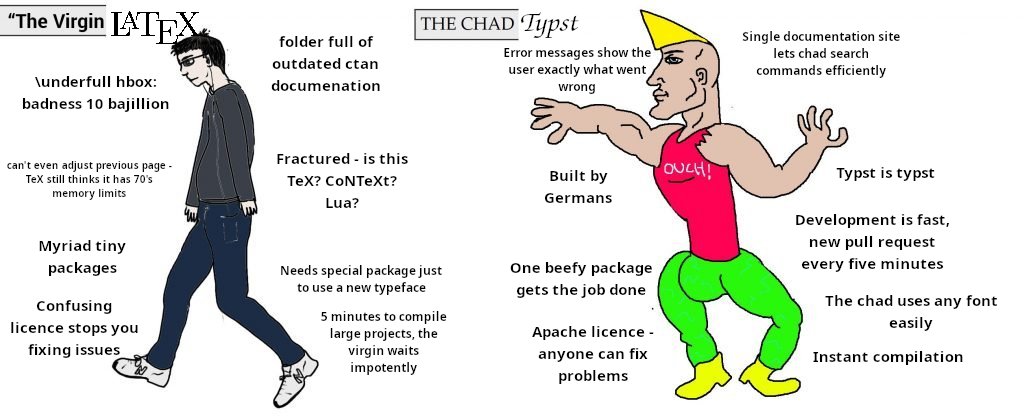
The community has feelings about this.
The error messages alone justify the switch. A LaTeX error looks like:
! Undefined control sequence.
l.847 \@ifstar
              {\ST@star}{\ST@nostar}[#1]
A Typst error looks like:
error: unknown variable: `titl`
  --> thesis.typ:12:8
   |
12 | #set text(titl: "My Thesis")
   |           ^^^^ did you mean `title`?
It points to the exact line. It tells you what’s wrong. It suggests the fix. It reads like a 2025 compiler, not a 1985 error code.
Wait — There’s a Tetris Game?
Here’s where things got unexpectedly fun.
While exploring the Typst package registry, I found @preview/soviet-matrix — a fully playable Tetris implementation that runs inside a Typst document. Two lines of code:
#import "@preview/soviet-matrix:0.2.1": game
#show: game.with(seed: 0)
Then you type your moves as a comment block — a to move left, d to move right, s to soft drop, f to hard drop, q/e to rotate — and the document renders the resulting board state.
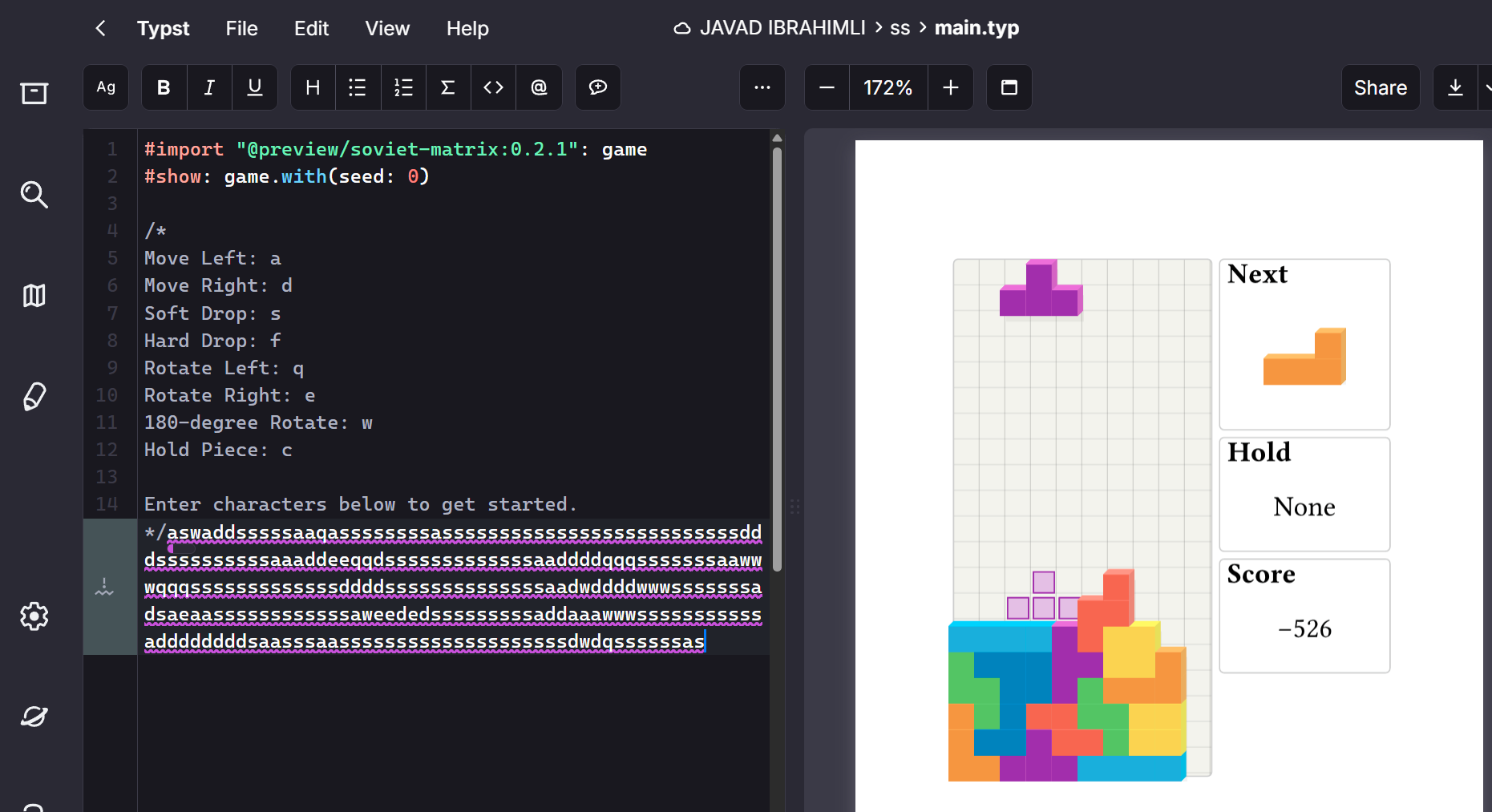
Soviet Matrix — fully playable Tetris, rendered as a Typst document. The code on the left controls the game; the board on the right updates on each compile.
This sounds like a gimmick but it’s actually a testament to how capable Typst’s scripting layer is. It’s a full programming environment — functions, loops, conditionals, state — embedded directly in your document. If someone can build Tetris in it, writing a custom chapter header style is trivial.
And a 3D Vector Game Too
The community didn’t stop at Tetris. There’s also @preview/badformer — a 3D wireframe exploration game that runs entirely inside Typst’s PDF renderer. No JavaScript, no external engine, just Typst’s native drawing primitives constructing geometry frame by frame.
#import "@preview/badformer:0.1.0": game
#show: game(read("main.typ"))

// Move with WASD and jump with space.
wwwwwwww
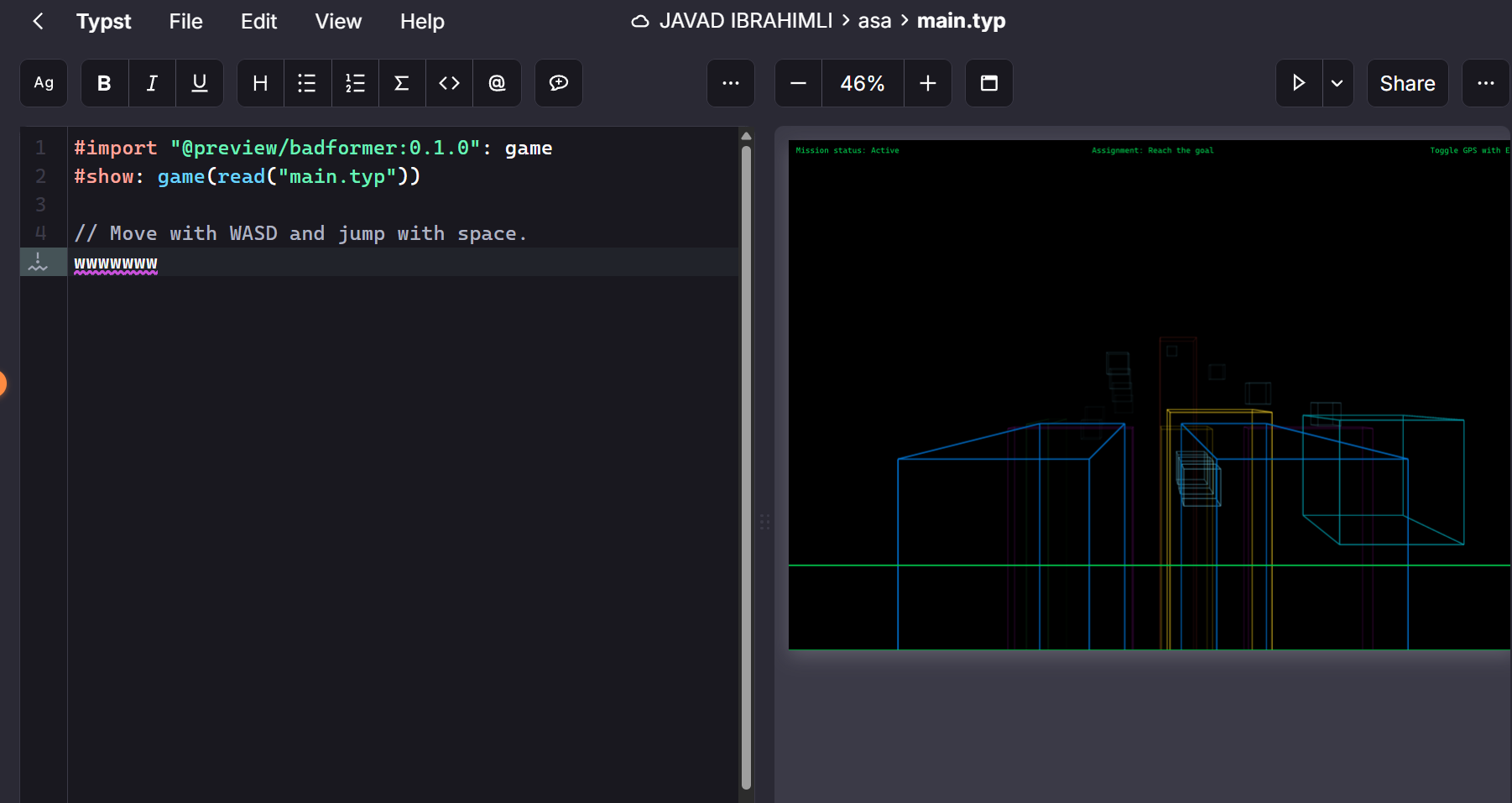
Badformer: a 3D wireframe game rendered natively by Typst. You move by typing WASD into the source file and recompiling.
Both games exist not because Typst’s team built them, but because community members did — which tells you something real about the scripting environment’s expressiveness.
Circuit Diagrams Without Leaving Typst
This one is particularly relevant for electronics and engineering students. There’s a package called cirCeTZ — a port of LaTeX’s circuitikz library — that lets you draw full circuit diagrams natively in Typst using the CeTZ canvas library.
#import "@preview/cetz:0.3.1": canvas, draw
#import "circuitypst.typ": node, to

#canvas(length: 1cm, {
  import draw: *
  // Draw a simple RC circuit
  node((0, 0), "ground")
  to((0, 0), (0, 2), "battery", label: $V_s$)
  to((0, 2), (2, 2), "resistor", label: $R$)
  to((2, 2), (2, 0), "capacitor", label: $C$)
  to((2, 0), (0, 0), "wire")
})
For my thesis this is significant. I’m in Electronics and Communication Engineering — circuit schematics are a core part of any technical document. Previously that meant exporting from a separate EDA tool, fighting with image scaling, and hoping the fonts matched. With cirCeTZ, the schematic lives in the same source file as the text describing it, uses the same fonts, and scales perfectly in the output PDF.
The package is still maturing (the developer notes features are being added as needed), but resistors, capacitors, inductors, voltage sources, and basic passive components already work. For a thesis with standard circuit diagrams, it covers everything I need.
Templates for Everything
The Typst Universe template library already has thesis formats, IEEE and APA paper styles, CV templates, presentation slides, and more. Many universities now have community-maintained Typst templates. The ecosystem is younger than CTAN but it moves faster.
| Feature | Overleaf / LaTeX | Typst |
|---|---|---|
| Compile time (full document) | 2–4 min | < 1 sec |
| Error messages | Cryptic | Clear + suggestions |
| Local install size | ~3 GB (TeX Live) | ~15 MB binary |
| Learning curve | Steep | Moderate |
| Circuit diagrams | circuitikz (mature) | cirCeTZ (growing) |
| Template ecosystem | CTAN (huge) | Universe (growing fast) |
| Offline support | Full | Full (CLI) |
Should You Switch?
If you’re starting a new thesis this semester: try Typst first. The learning curve is lower, the feedback loop is dramatically faster, and you won’t spend three days debugging a bibliography style.
If your institution requires a specific LaTeX template: check if a Typst equivalent exists — many do now. Some departments are open to alternatives if the PDF output is identical.
If you’re mid-project in LaTeX: probably not worth migrating mid-document. Finish it, then use Typst for the next one.
winget install --id Typst.Typst on Windows or brew install typst on macOS. The binary is self-contained, requires no TeX installation, and works completely offline.
Frequently Asked Questions
$x^2 + y^2 = z^2$ and display math uses $ ... $ on its own line. Most LaTeX math notation carries over with minor differences. Complex multi-line derivations work well.The thesis is just getting started. But for the first time since I opened that university template, I’m not dreading the writing process.
That’s not nothing.